Design system
Displays that invite the first touch
Touchable is a patented, award-winning design system for digiboards that gets people to explore a shared display by touching it. What started as a materials study now holds the i3CONNECT product line together, as it did at CTOUCH before the merger.
01 · The TV rule
A touch display looks exactly like a television
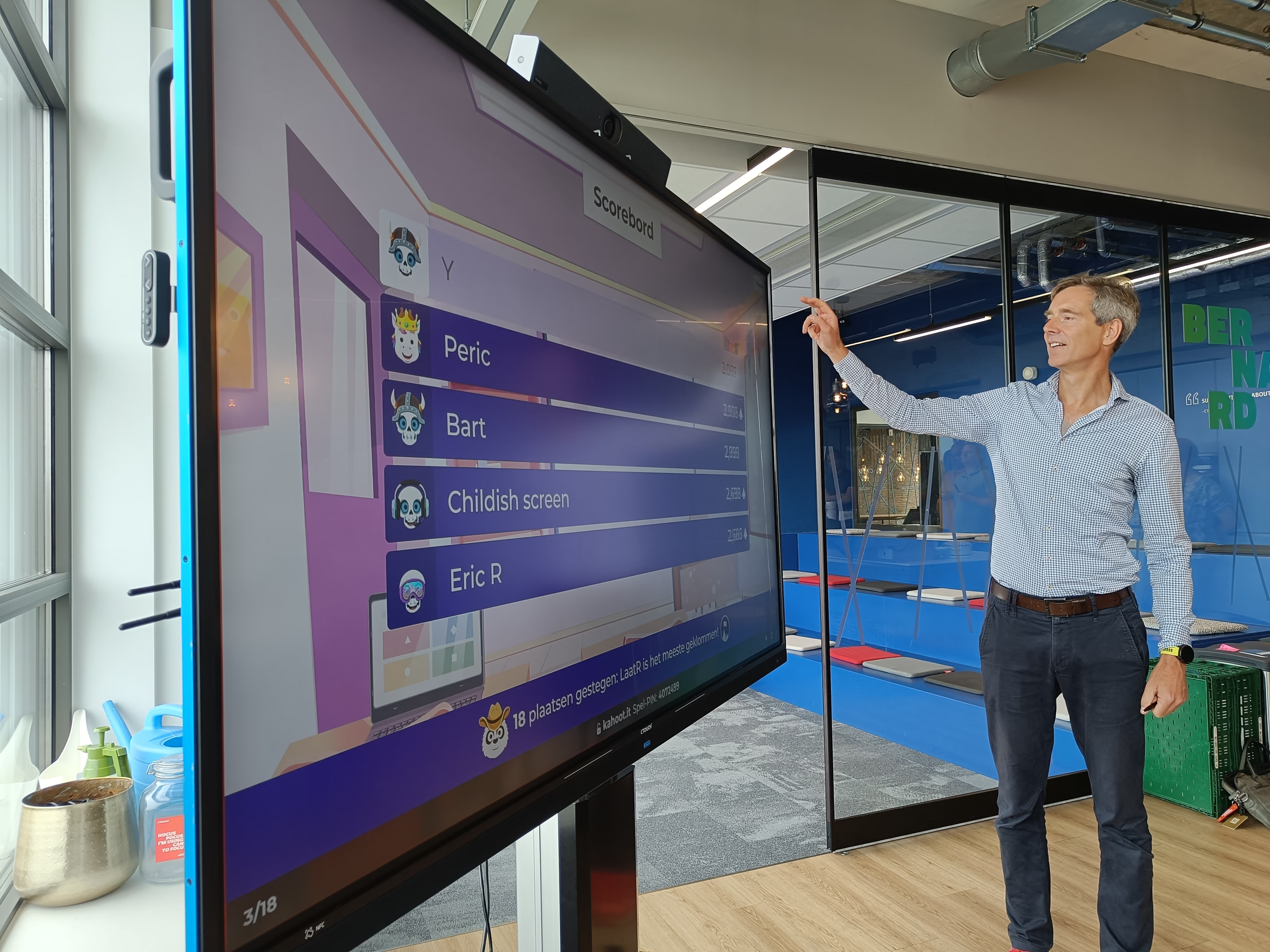
Large interactive flat panels share the shape, proportions and finish of the TV in your living room. Anyone who grew up near a TV learned the rule: don't touch it.
That rule followed people into classrooms and offices. Nothing about our digiboards invited a first touch, so people never opened the whiteboard or the learning software. Breaking that habit was how buyers would get a return on what they'd paid for.
02 · characteristics
A product language for touchable objects
I ran a trend analysis across products people described as touchable and found five recurring characteristics: geometric pattern, material texture, detailing, colour and gradient, and being forbidden.
Each is effective at one of three levels (rugged, refined, digital), and each has a haptic and an optic variant: a texture you feel with your hand, and one you feel by looking at it.
I turned those findings into one design language for the whole customer experience: the hardware, the software, and processes like logistics.
Touchable principle
What it added
What it delivered
This is not a TV
Attract the first touch from across the room with colour and material, at the rugged, refined or digital level, each in a haptic and an optic variant.
Touchable texture
Is touch OK?
Reward every touch with something useful. When something looks touchable on the product, have it react in the software near the interaction.
Positive reinforcement
Shared use
Most users are first-time users. Beginners work at the front of the display and experts at the back, by the ports, so each side gets an interface of its own.
Reframed personas
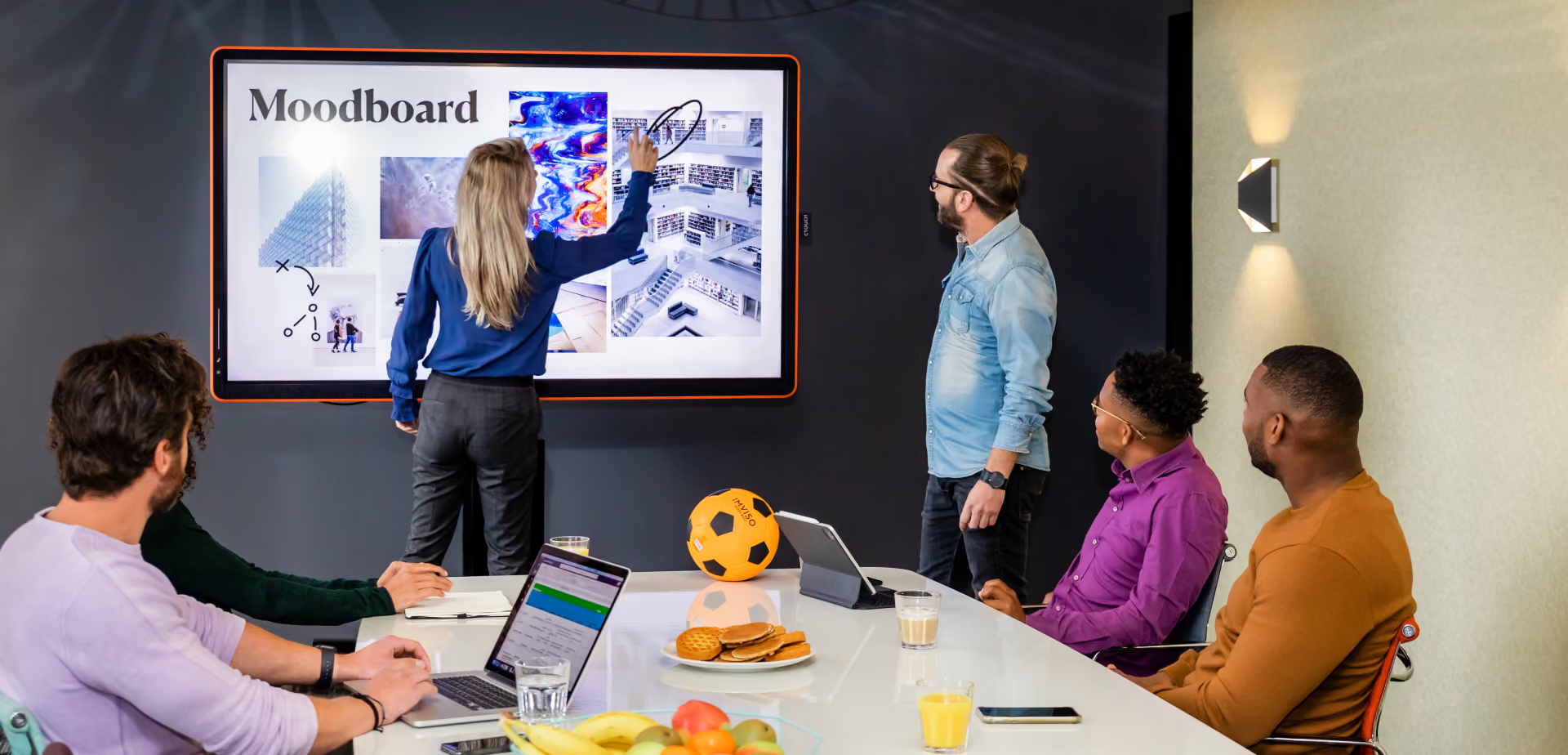
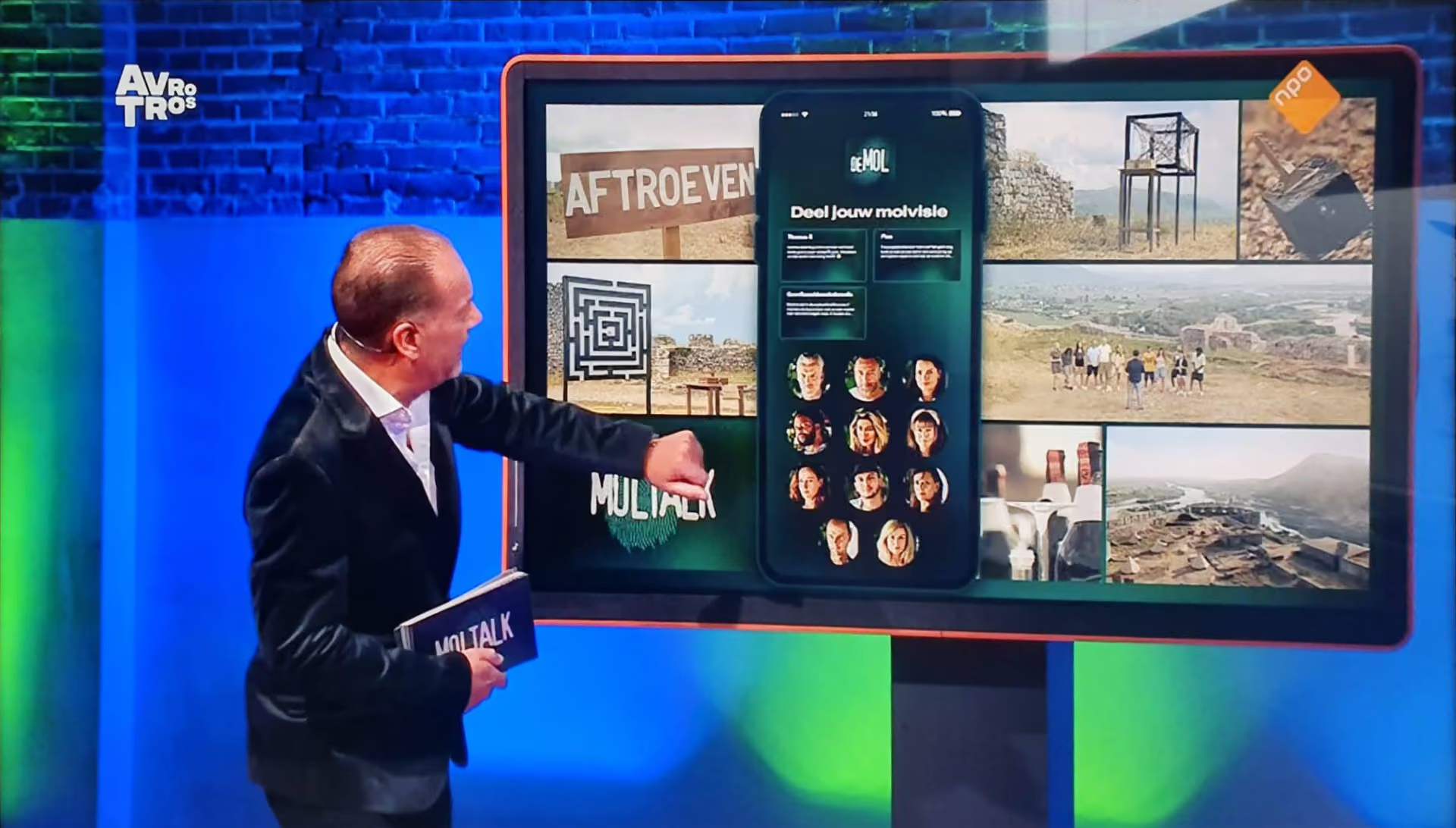
Canvas on the set of Moltalk (Wie is de Mol?, AVROTROS)
03 · 1st Touchable display
Canvas for new ideas
Canvas was the first display built on the Touchable system. A coloured rubber outer layer pulled your attention from across the room, with each colour matched to a type of meeting room: orange for active work, blue for reflective work and midnight grey for formal meetings.
Up close, a textile bezel made you want to touch the edge of the screen. Bright white, touch-sensitive icons on the front left of the bezel triggered animations that led your hand towards the software. The buttons sit on the left so changing a setting never puts your body in front of the screen.
The front of the display only showed what a beginner needs. Even the remote sensor sat hidden under the upholstery, so everything on the front rewarded a touch. Expert controls went on the back, with icons and terms an IT professional would recognise.
04 · Pen and camera
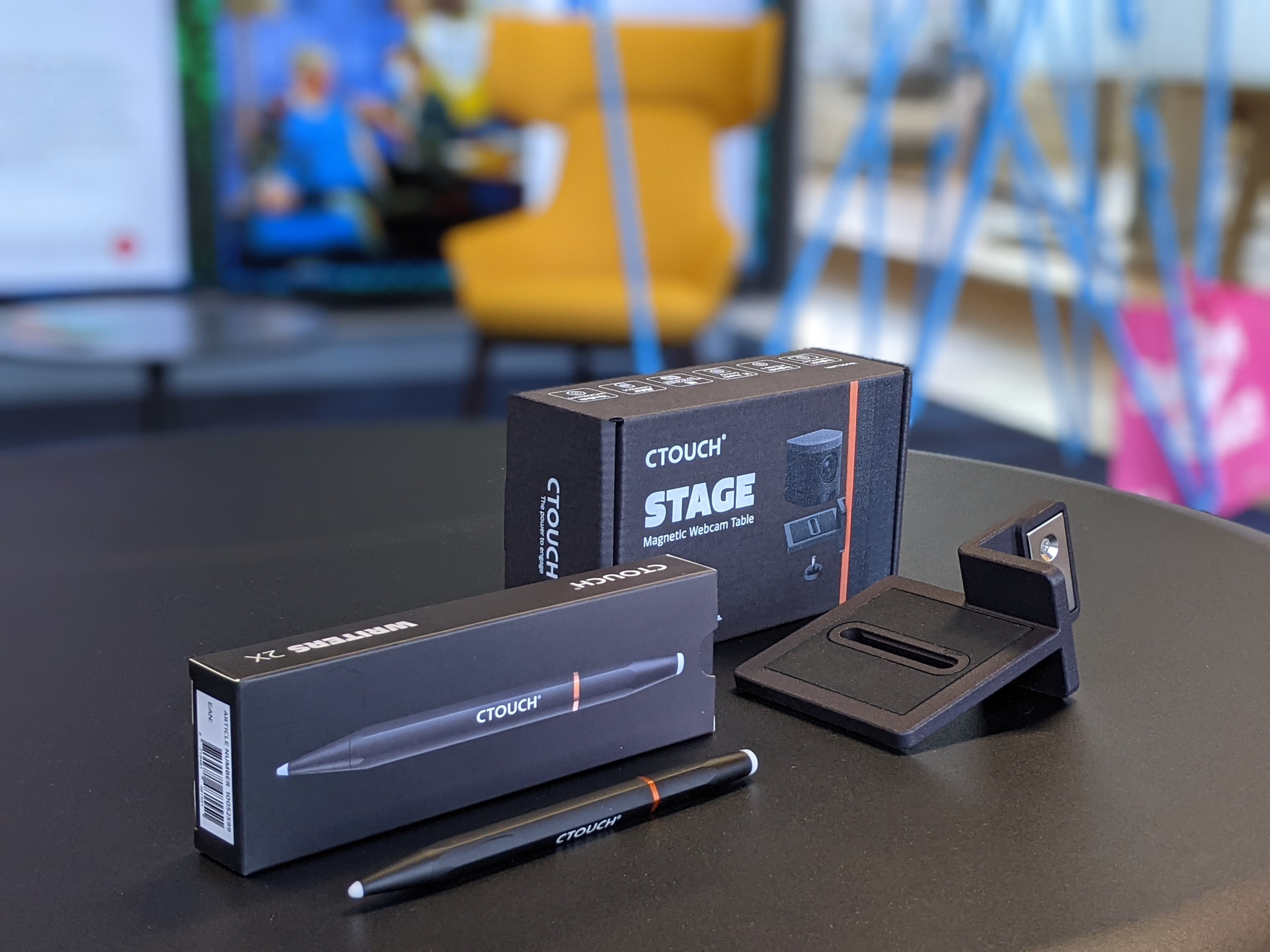
Writer and Stage, the accessories that completed Canvas
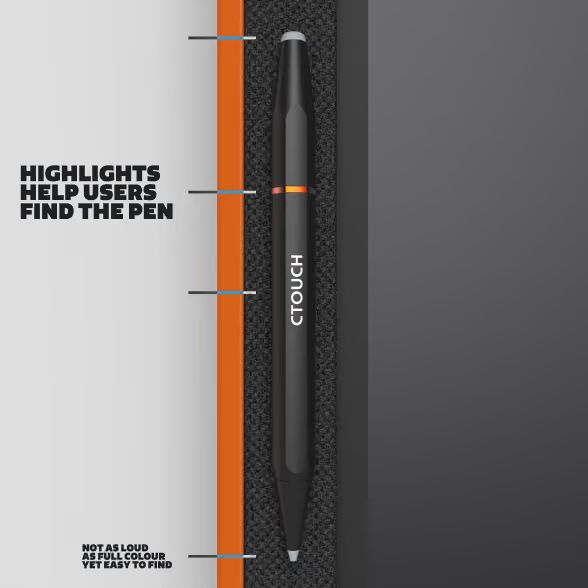
Writer is a redesign of the original CTOUCH pen. Its heavier metal body gives steadier handwriting, and the design draws on decades of pen making from brands like rOtring, Lamy and Kaweco. It has two tips for thick and thin digital marking, an orange ring so the black pen stands out against the dark grey textile, and a magnet that snaps it to the front of the display.
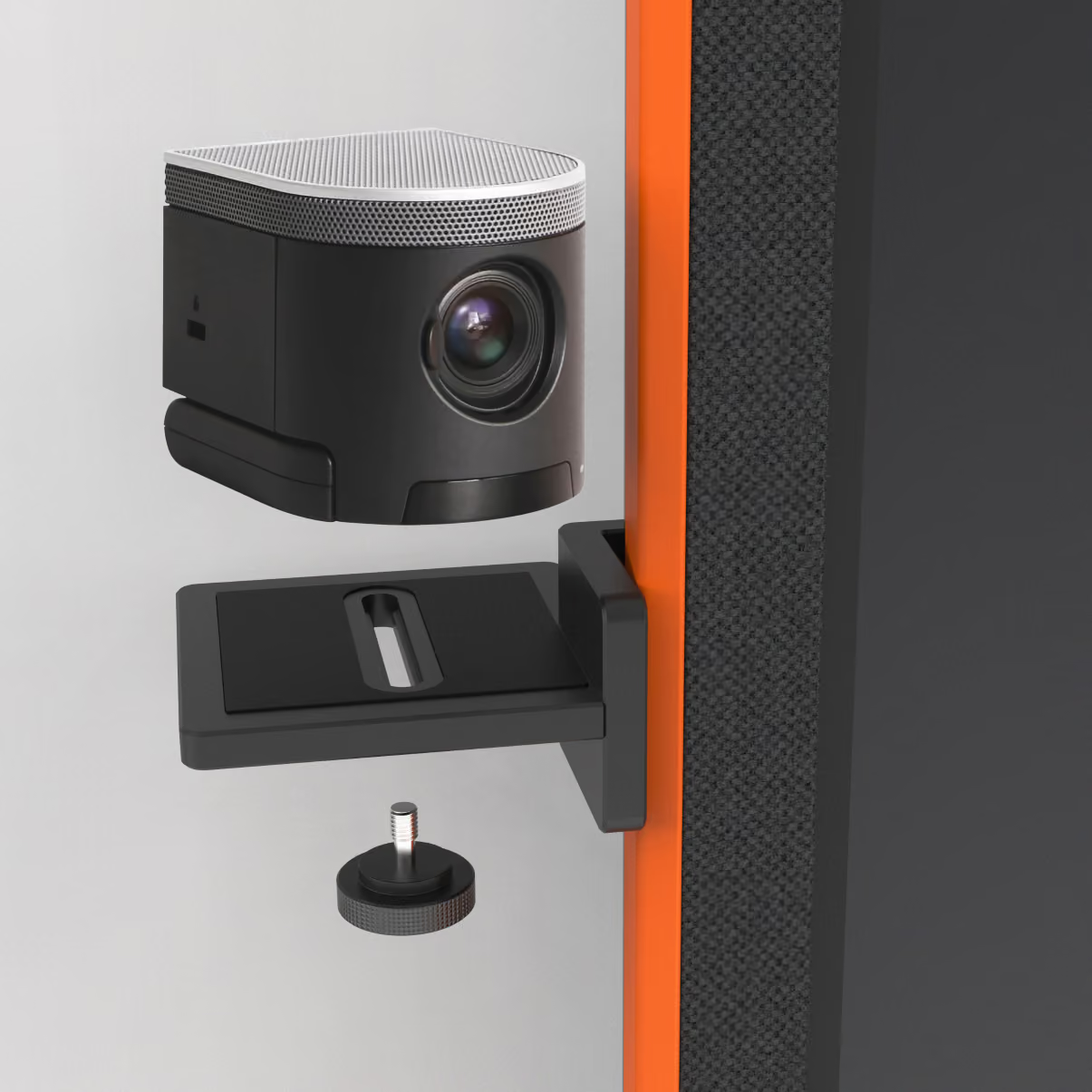
The Stage webcam snaps to either side of the display at any height, so video calls happen at eye level. Display cameras usually sit above or below the screen, which gives an unnatural viewing angle. With ultrawide cameras on the Stage, people on the call can see both whoever is at the display and the people sitting at the table.
05 · A version for universities
Neo for higher education
The next step was a mass-market version of Touchable for higher education, which meant finding a faster way to produce it and bringing the price down.
Neo is the result. Its bright blue anodised border nods to the blue rubber of the original and catches your eye as you walk into the room. Where Canvas wrapped the display in rubber, Neo's border runs along the side edge, so it's bright when you see it from an angle and out of sight when you look at the screen head-on. It pulls your attention as you come through the door and fades away once you start working.
The interface was cut back to the things people do most, each on its own tile: whiteboarding, wireless casting, a web browser, and choosing a source with a preview of each input.
06 · Every user, from guest to IT
A display a guest can use and IT can manage
For Neo, we researched everyone who uses these displays at a university, from IT and facilities down to a guest who needs the display for a single day.
On the display, that led to the tile interface, which cuts every feature down to the parts people use most. Behind it, IT needed a professional management portal that keeps the experience consistent and secure across buildings, school groups and floors, each with its own settings.
Both the on-screen interface and the remote management of a fleet of screens are still the foundation of the i3CONNECT software today.
Product
What it added
Layer
Neo
A metal border that reads at an angle, and a tile interface stripped back far enough for a guest to use without a manual
Design system
Studio
Cloud whiteboard, wireless sharing and no app install, so a laptop locked down by IT still connects
User interface
Sphere
Remote control of which tiles appear on which display, designed end to end with the development team and later taken further into Cortex
Display management
07 · CTOUCH to i3CONNECT
Studio: how Touchable survived the merger
Touchable came through the merger of CTOUCH and i3-Technologies intact, and it was part of the reason for it. i3-Technologies gave two reasons for the merger: doubling their reach, and the team that had built the product experience. The system was funded on a simple idea, that a display that gets used is a display the customer renews, and each new product in the range now starts from decisions already made. The line still runs on it, and the product teams own it.
CTOUCH and i3-Technologies were both named after their technology, so I made it a goal to rename the merged company i3CONNECT, after what happens between the people who use our products. That shifted all the marketing from then on, and the website was rewritten around what a customer gains.